
Lift: AI Photo Editor
Lift AppPhotography
4.2152.00 Reviews
- Version
- 2.15.0.b5
- Installs
- 1.00M
- Age Rating
- Everyone
Screenshots

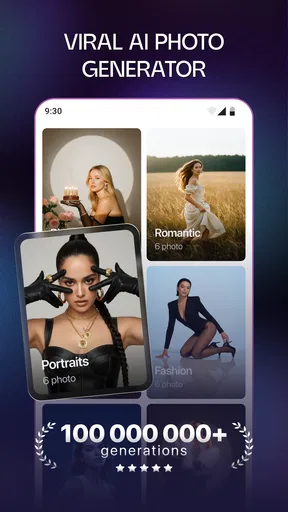
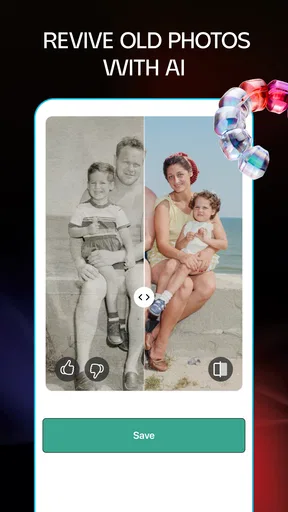
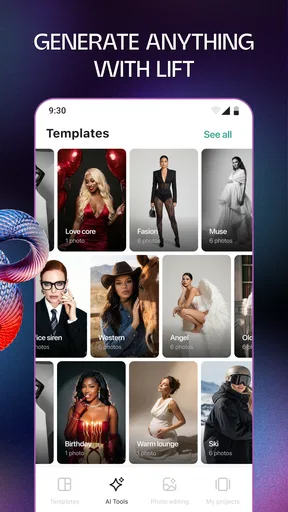


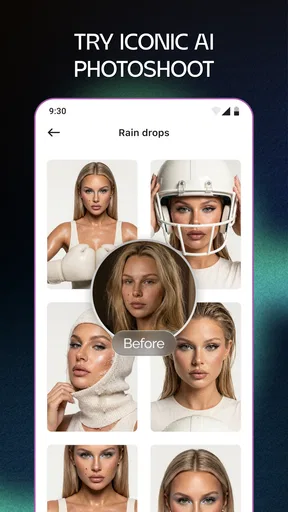

Our Review of Lift: AI Photo Editor
 Analysis by Appyee
Hey there, fellow smartphone enthusiast! Today, we’re diving into the world of photo editing with an app that’s turning heads – Lift: AI Photo Editor. If you’re anything like me, you love snapping photos but might not always hit that perfect shot. That’s where this app swoops in like a digital superhero. Let me walk you through why I think this app deserves a spot on your home screen.
First Impressions and User Experience
When I first downloaded Lift: AI Photo Editor, I was struck by its sleek and intuitive design. It doesn’t bombard you with options right off the bat, which is a relief in a world where apps often try to do too much. The interface feels clean, with easy navigation that makes editing feel less like a chore and more like a creative outlet.
Opening the app, you’re greeted with a simple menu that lets you choose whether to edit an existing photo or take a new one. I found this particularly handy because sometimes inspiration strikes unexpectedly, and you can capture and enhance a moment all in one go.
Features That Shine
Now, let’s talk about what makes this app truly stand out. The AI-powered tools are nothing short of impressive. The app offers a variety of features, from basic adjustments like brightness and contrast to more advanced tools like AI Retouch and Background Removal.
One feature I found myself using a lot is the AI Retouch. It’s like having a professional editor in your pocket. With just a tap, it smooths out skin tones, reduces blemishes, and enhances features in a way that looks natural. No more spending hours trying to achieve the perfect look – the AI does it for you in seconds.
Another highlight is the Background Removal tool. Have you ever taken a great selfie, but the background was just meh? Well, worry no more. This feature lets you isolate subjects and swap out backgrounds with ease. It’s perfect for those times when you want to pretend you’re on a beach in Bali instead of your backyard.
Creative Filters and Effects
What’s a photo editor without some fun filters and effects, right? Lift doesn’t disappoint here either. The app comes loaded with a plethora of filters that can transform your photos in a myriad of ways. Whether you’re going for a vintage vibe or something more modern and vibrant, there’s a filter for you.
I personally love the cinematic filters. They give your photos a dramatic flair that looks like it came straight out of a movie. And the best part? They’re fully customizable, so you can tweak them to suit your style perfectly.
Performance and Reliability
One thing that often gets overlooked in an app is how it performs over time. I’ve been using Lift: AI Photo Editor for a couple of weeks now, and it hasn’t crashed on me once. It runs smoothly, with quick load times and no noticeable lag, which is crucial when you’re in the zone editing your masterpiece.
Battery consumption is also reasonable. I didn’t find it draining my phone’s battery any more than other similar apps, which is always a plus when you’re editing on the go.
Final Thoughts
So, is Lift: AI Photo Editor worth downloading? In my opinion, absolutely. It’s packed with features that cater to both casual users and those who take their editing seriously. The AI tools are a game-changer, making it easier than ever to get professional-quality edits without the hassle.
Whether you’re a social media junkie looking to spruce up your feed, or someone who just wants to make their photos pop, this app has something for everyone. Give it a shot – you might just find that it becomes your go-to tool for all your photo editing needs. Happy editing!
Verdict
Strengths of Lift: AI Photo Editor
- Intuitive user interface for easy navigation.
- Offers a wide range of editing tools.
- AI enhances photo quality automatically.
- Includes creative filters and effects.
- Fast processing with high-quality outputs.
Limitations of Lift: AI Photo Editor
- Some features require in-app purchases.
- Occasional glitches during editing.
- Limited export formats available.
- High battery consumption during use.
- Requires stable internet for best performance.
Similar Picks in This Category
View All
Google Photos
Google LLC4.4

Gallery
Google LLC4.2

Picsart AI Photo Editor, Video
PicsArt, Inc.3.9

B612 AI Photo&Video Editor
SNOW Corporation4.1

BeautyPlus-Selfie Photo Editor
PIXOCIAL TECHNOLOGY (SINGAPORE) PTE. LTD.4.5

Remini - AI Photo Enhancer
Bending Spoons4.1
Frequently Asked Questions
What features does Lift: AI Photo Editor offer?
Lift: AI Photo Editor provides a range of features including AI-powered enhancements, filters, and effects to transform your photos. You can easily adjust brightness, contrast, and saturation, and use tools like background removal and object recognition. The app also supports batch processing, allowing you to edit multiple photos at once.
Is Lift: AI Photo Editor free to use?
Lift: AI Photo Editor offers a free version with basic features, but for advanced tools and effects, a subscription may be required. The premium version provides access to exclusive filters, unlimited edits, and higher resolution exports. Pricing details can typically be found within the app or on the app store page.
How user-friendly is Lift: AI Photo Editor for beginners?
Lift: AI Photo Editor is designed with an intuitive interface, making it accessible for beginners. It offers guided tutorials and tooltips to help new users navigate and make the most of its features. The app’s AI enhancements simplify the editing process, allowing users to achieve professional results with minimal effort.
What are the system requirements for Lift: AI Photo Editor?
Lift: AI Photo Editor requires a device running Android 7.0 or later, or iOS 12.0 or later. It is optimized for both smartphones and tablets, ensuring a smooth experience. Adequate storage space is recommended to accommodate photo files and app data. Check your device compatibility before downloading.
Does Lift: AI Photo Editor protect user privacy?
Yes, Lift: AI Photo Editor prioritizes user privacy by implementing robust data protection measures. It adheres to privacy policies that prevent unauthorized access to your photos and personal information. Users have control over data sharing preferences, and the app regularly updates to comply with privacy regulations.
